Coordinate patient flow
View appointments, check-in, triage and consultation stages from one patient-flow workspace.
Manage reception, clinical records, follow-ups, laboratory work, pharmacy and billing in connected workspaces.
All standard features included. Access is controlled by staff roles and facility settings.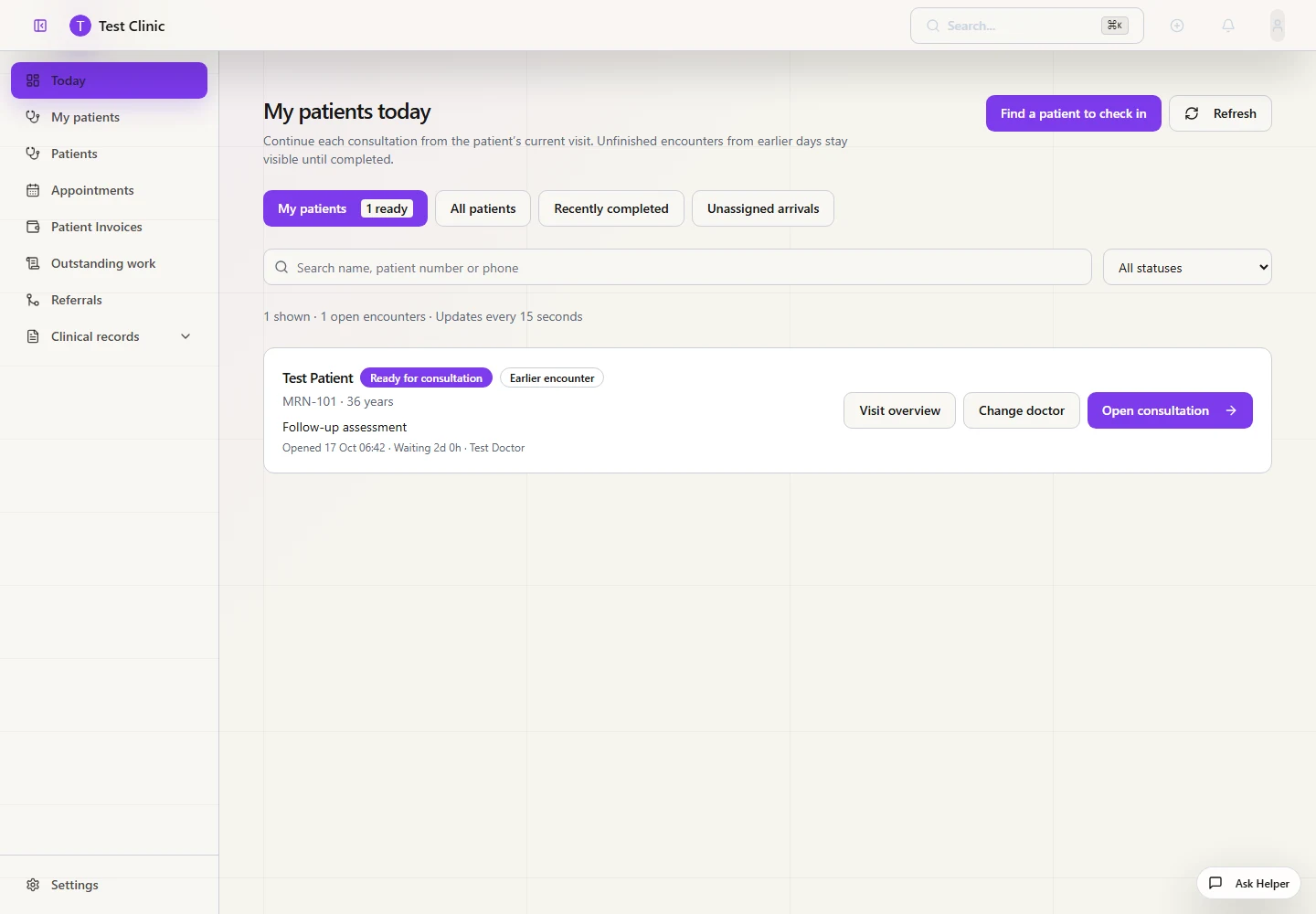
MCMS connects the work that begins at reception and continues through triage, consultation, investigations, treatment, dispensing, billing and follow-up. Your team works with the same up-to-date patient and operational information.
Use role-specific worklists to find assigned patients, unassigned arrivals and earlier encounters that still need attention.
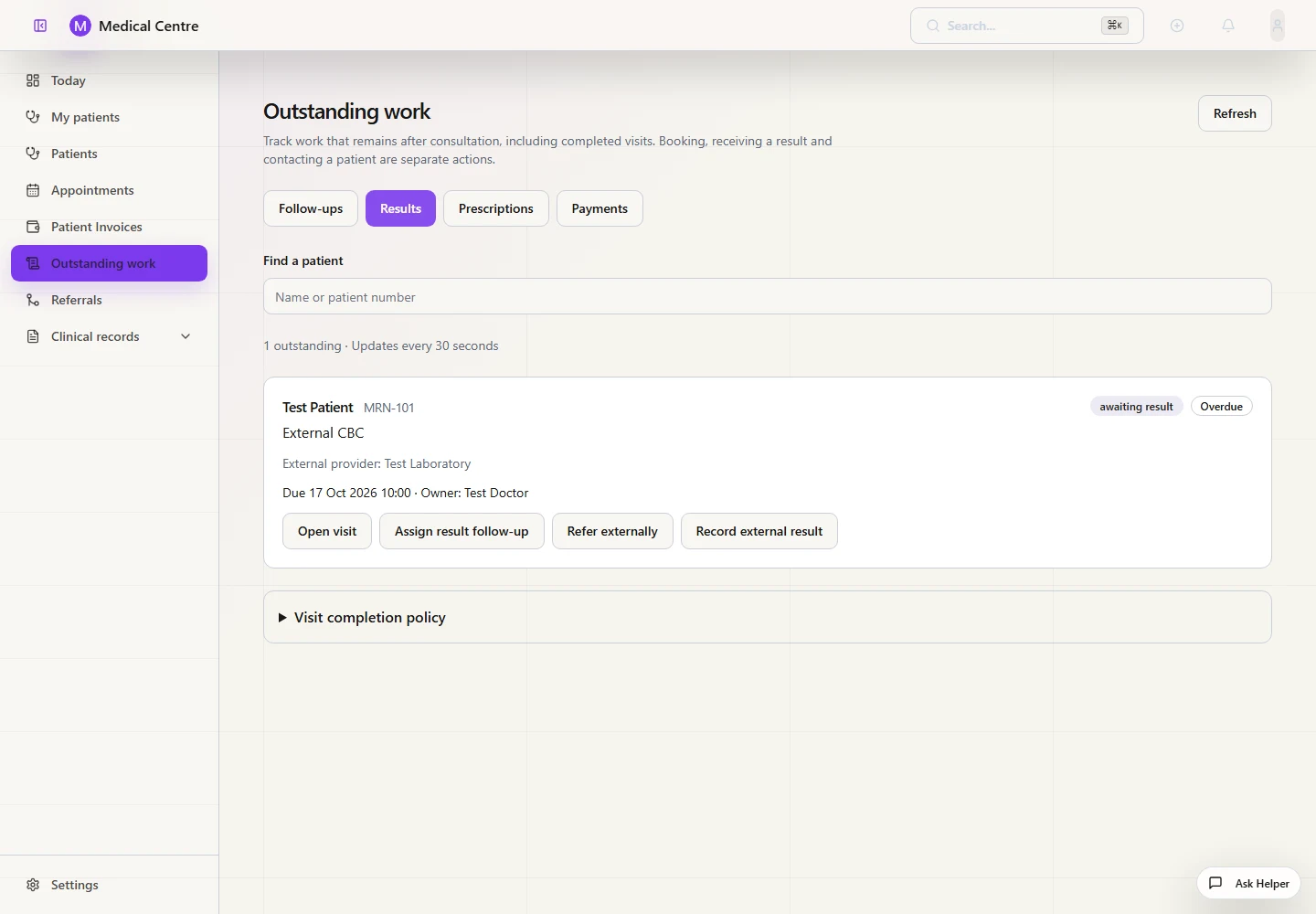
Track pending laboratory results with a responsible clinician and due date. Record external reports, clinical review and patient contact as separate steps.
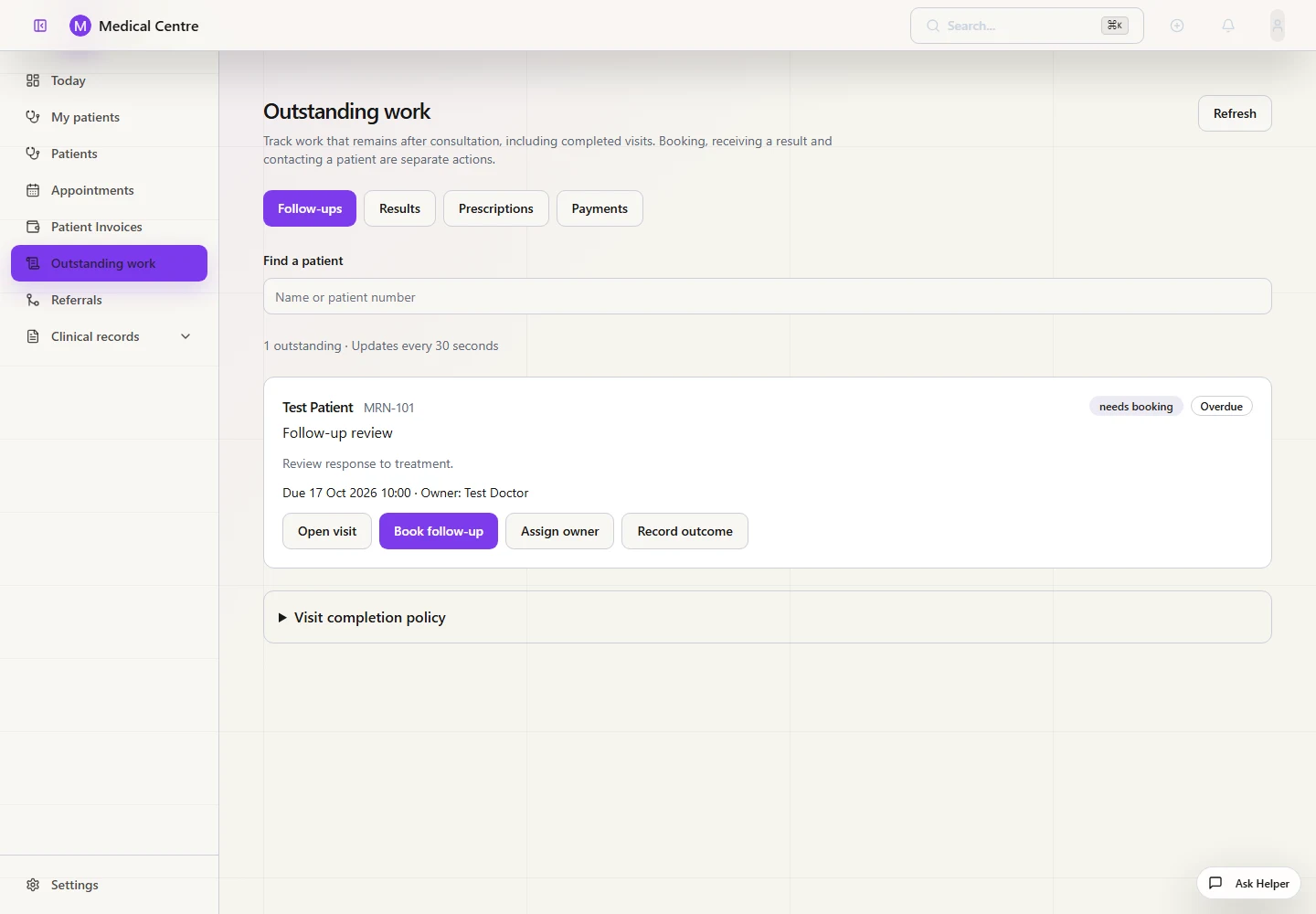
Assign follow-up owners, book linked appointments and record outcomes so continuing care remains visible after a visit ends.
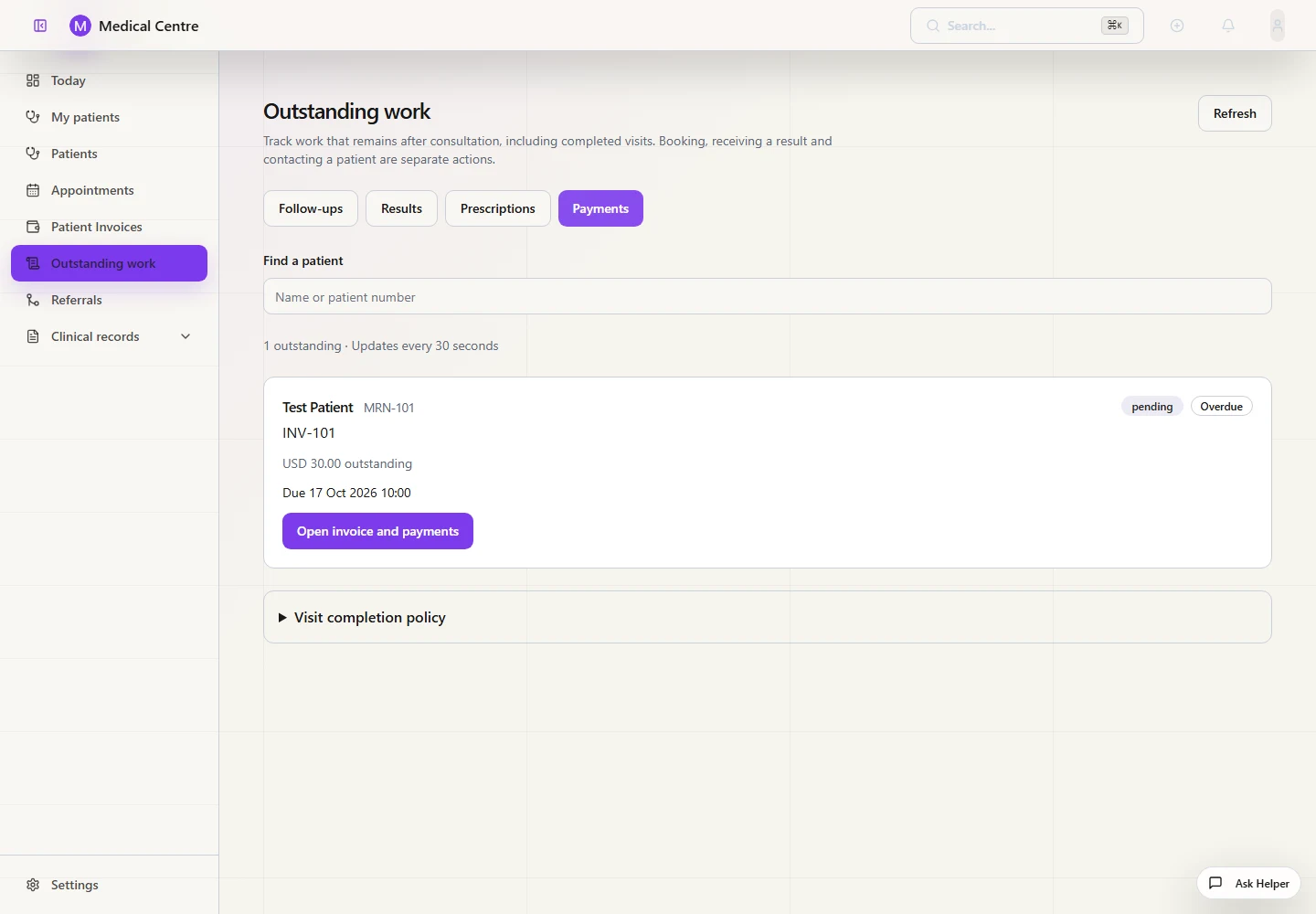
Keep unpaid invoices visible after visit completion, open the linked invoice and record payments through the billing workflow.
MCMS helps healthcare teams reduce duplicated work, improve visibility and manage the clinical and financial sides of the organisation together.
View appointments, check-in, triage and consultation stages from one patient-flow workspace.
Open the patient’s clinical story, documents, diagnoses and previous encounters from one record.
Track appointments, referrals, investigations and continuing care for the appropriate team members.
Add consultations, investigations, medicines and procedures to the patient billing workflow.
Follow batches, dispensing, transfers, expiries and reorder levels across pharmacy and inventory.
Assign a responsible clinician and due date; record report receipt, clinical review and patient contact separately.
Give each department practical tools for its daily work while maintaining one patient record, controlled access and a clear management view.
Roles and permissions control access to records and workflows.
Important actions can be traced to the responsible user to support oversight and accountability.
Backup and recovery tooling is available. Scheduling, storage and restore procedures depend on the hosting configuration.
Authorised administrators can request structured exports of facility records when required.
Discuss the scope for your facility before rollout. Data migration, staff training, integrations and implementation support should be confirmed in your agreement.
We review your patient journey, departments, existing records and reporting requirements.
Choose the available modules, roles, clinical forms and tariffs needed for your agreed workflow.
Agree which records can be imported and which staff training is required before scheduling migration.
Confirm access, workflows and the agreed support arrangements before starting daily use.
Assess additional modules and integration requirements as your organisation grows.
Tell us how your facility currently works and what you need to improve.
Choose a plan based on your active staff accounts and file-storage needs. The pricing cards show each plan’s capacity. Standard software features are shared across plans; staff permissions and facility settings control access.
Yes. Once your clinic enables public booking and publishes its schedule, patients can use your organisation’s booking link to request an available time. Requests await clinic approval.
MCMS supports WhatsApp and SMS appointment messages. Sending requires activation, patient consent and provider or template approval where applicable. Messaging charges are confirmed separately.
Each organisation has a separate clinical database. Staff access is controlled by assigned roles and permissions, so team members can be given access appropriate to their responsibilities. Platform administration is managed separately.
An internet connection is required for normal use, including signing in, accessing current shared records, online bookings and sending messages. Limited offline functions are not a replacement for a reliable connection.
We’ll explain how your clinic’s data will be backed up and recovered as part of getting you set up, so you know what to expect before you start using MCMS.
Authorised administrators can request structured exports of organisation records. Discuss the required data, file formats and any migration assistance before moving to another system.
Yes. We can assess your records and provide a migration plan based on their volume and format.
Training availability, scope and fees are confirmed in your implementation agreement.
Yes. Your plan covers a number of active staff accounts. Disabled workspace accounts do not use a seat. Contact us to arrange a larger allowance as your team grows.
Book a demonstration built around your patient flow, departments and management needs.